1. Introduction
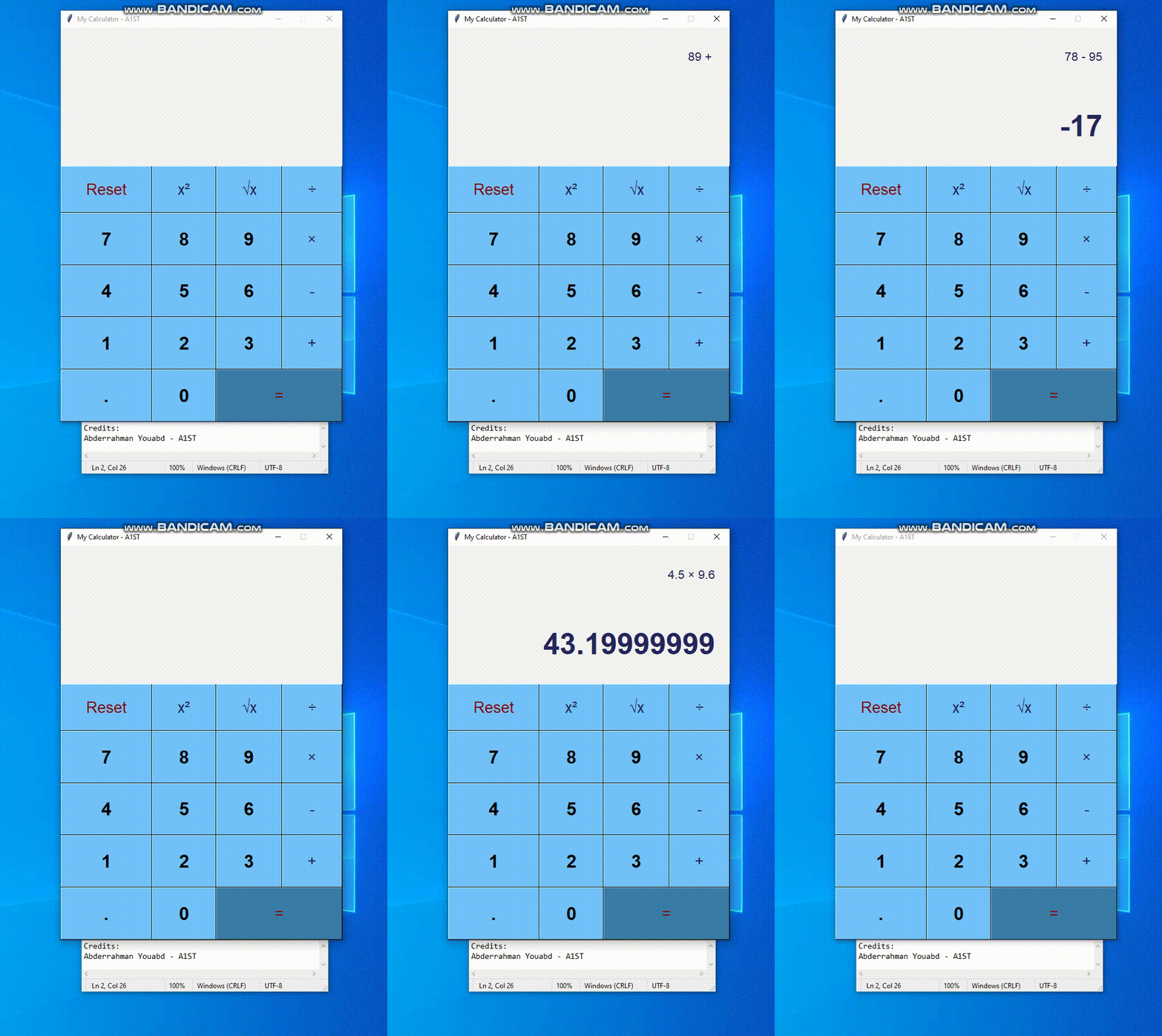
I built a GUI calculator using the Tkinter library in Python. The calculator allows users to perform basic arithmetic operations, including addition, subtraction, multiplication, and division. I chose to create this project as a way to improve my Python programming skills and to create a useful tool for personal use.
2. Technical Details
I built the calculator using object-oriented programming principles and a modular design. The different components of the calculator include buttons, an input/output display, and math operation functions. I used Python 3.9 and the Tkinter library to create the GUI and handle user input.
One of the biggest challenges I faced during the development process was dealing with user input errors. For example, I had to figure out how to handle cases where the user enters an invalid number or tries to divide by zero. I overcame this challenge by implementing error handling code that displays an error message to the user and clears the input field.
3. Design and User Experience
I wanted the calculator to have a clean and simple design that was easy to use. I chose a minimalist color scheme with black and white as the primary colors and used a legible font for the text. The buttons are arranged in a grid layout, with larger buttons for the most common math operations.